
Posts
This is the section where Admin users can create photo, blog, video and audio posts that will be accessible in the app for End Users.
Admin users can search for posts (title and description) and can filter the list of posts by:
- Type: photo, video, audio, blog
- Visibility: exclusive, public
- Featured: non-featured, featured
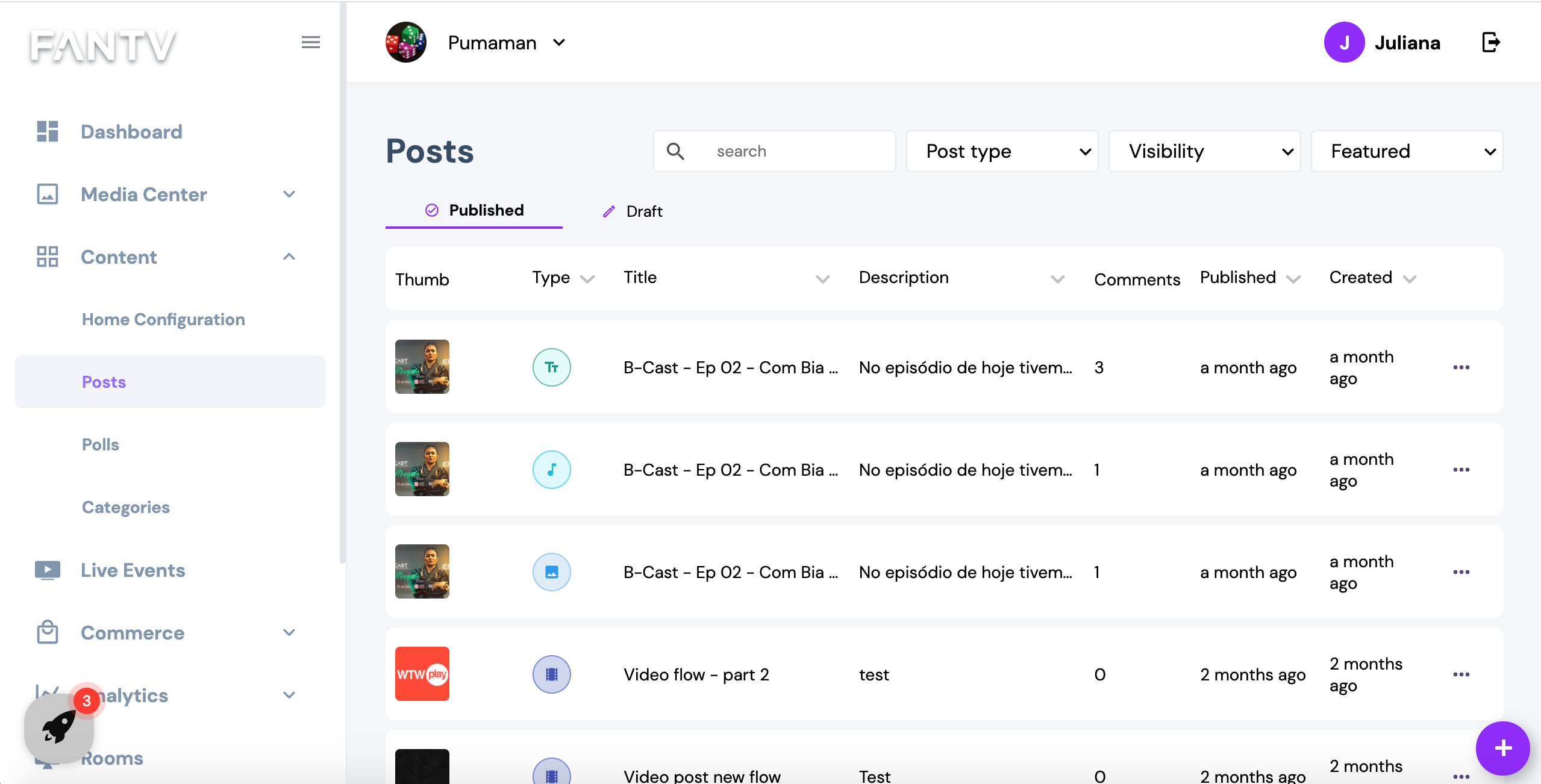
Posts are grouped in two tabs:
- Published: contain all posts that are published (visible to End users)
- Draft: contain all draft posts (posts that are not published yet and not visible to End users)
The Posts table has the following information:
- Post Thumbnail
- Post Type
- Post Title
- Post Description
- Post Comments
- Published Date
- Created Date
Apart from the thumbnail column, all other columns can be sorted (ascending/descending).
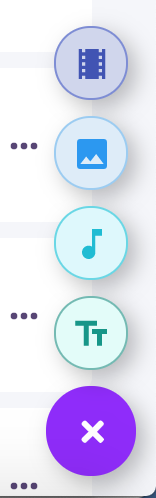
To create a new post, click on the floating icon (+) at the bottom. It will display the types of posts you can create:
- Video
- Photo
- Audio
- Blog
Video Post Detail Screen
This is the screen where Admin users can create or edit a video post.
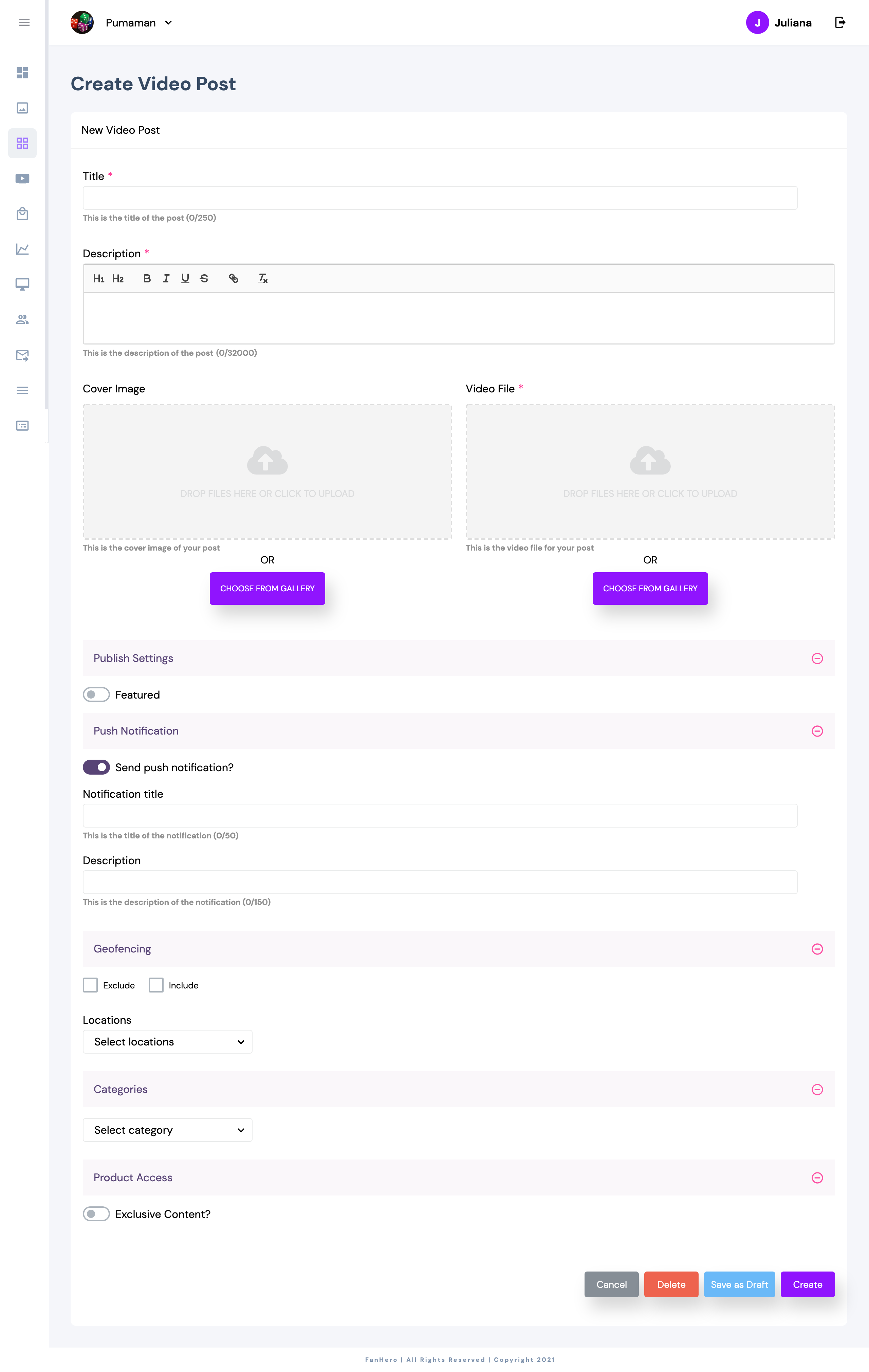
Item | Description |
|---|---|
Title | Title of post. |
Description | Description of post. |
Cover Image | Video thumbnail. |
Video File | Video. |
Publish Settings | Optional field. |
Push Notification | Default is enabled. |
Geofencing | Ability to make your content available or not available in some countries. |
Categories | Ability to assign post to one or more categories and/or sub-categories. |
Product Access | Ability to define if the post will be public or exclusive and to assign products to the post. |
- Cancel: closes the post detail screen and goes back to the post list.
- Delete: ability to delete the post.
- Save as draft: ability to save post as draft (post will not be available to end users)
- Create/Update: ability to create or update the post.
Once a video post is created, all fields can be edited.
Photo Post Detail Screen
This is the screen where Admin users can create or edit a photo post.
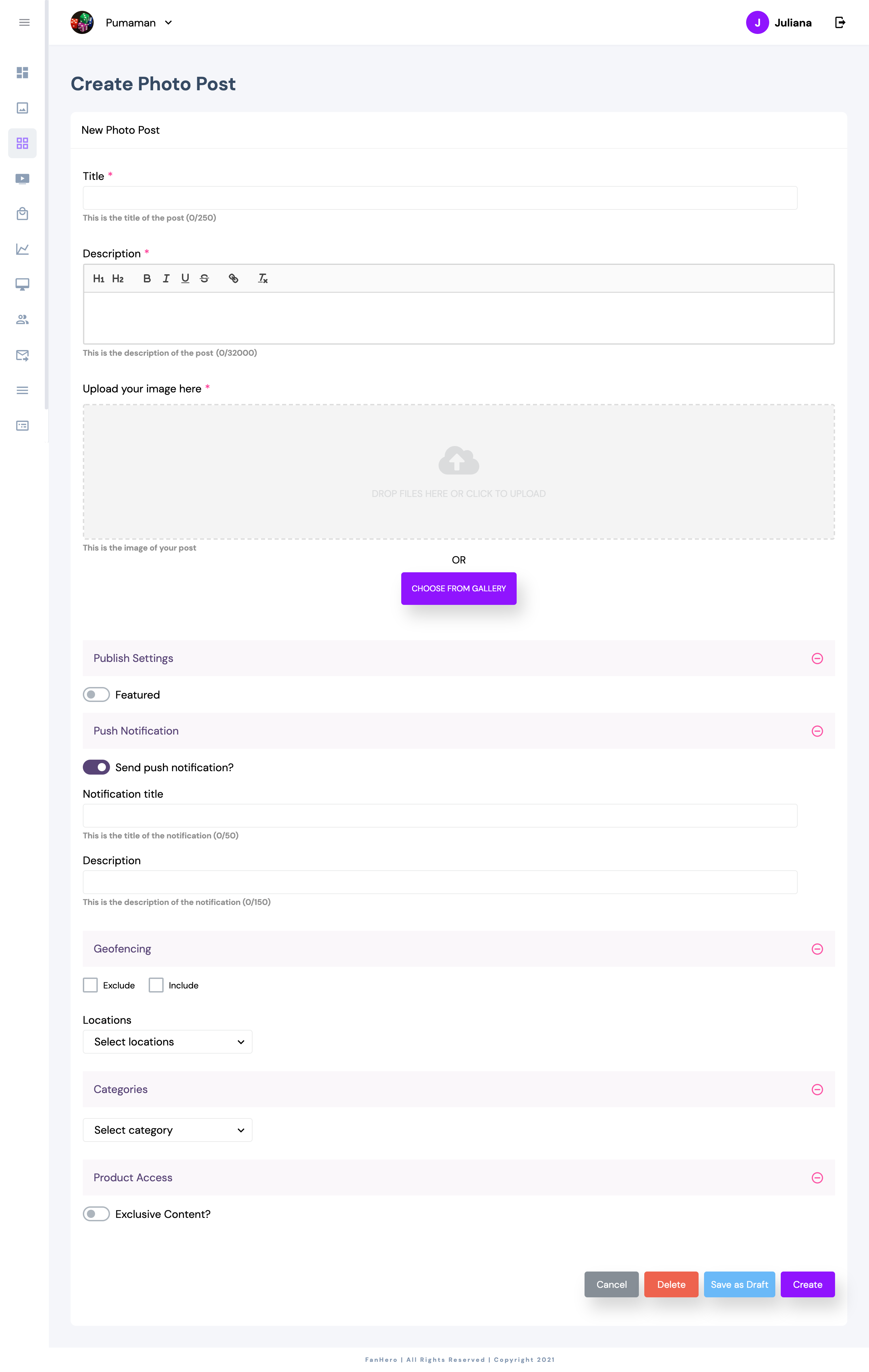
Item | Description |
|---|---|
Title | Title of post. |
Description | Description of post. |
Image file | Post image. |
Publish Settings | Optional field. |
Push Notification | Default is enabled. |
Geofencing | Ability to make your content available or not available in some countries. |
Categories | Ability to assign post to one or more categories and/or sub-categories. |
Product Access | Ability to define if the post will be public or exclusive and to assign products to the post. |
- Cancel: closes the post detail screen and goes back to the post list.
- Delete: ability to delete the post.
- Save as draft: ability to save post as draft (post will not be available to end users)
- Create/Update: ability to create or update the post.
Once a photo post is created, all fields can be edited.
Audio Post Detail Screen
This is the screen where Admin users can create or edit an audio post.
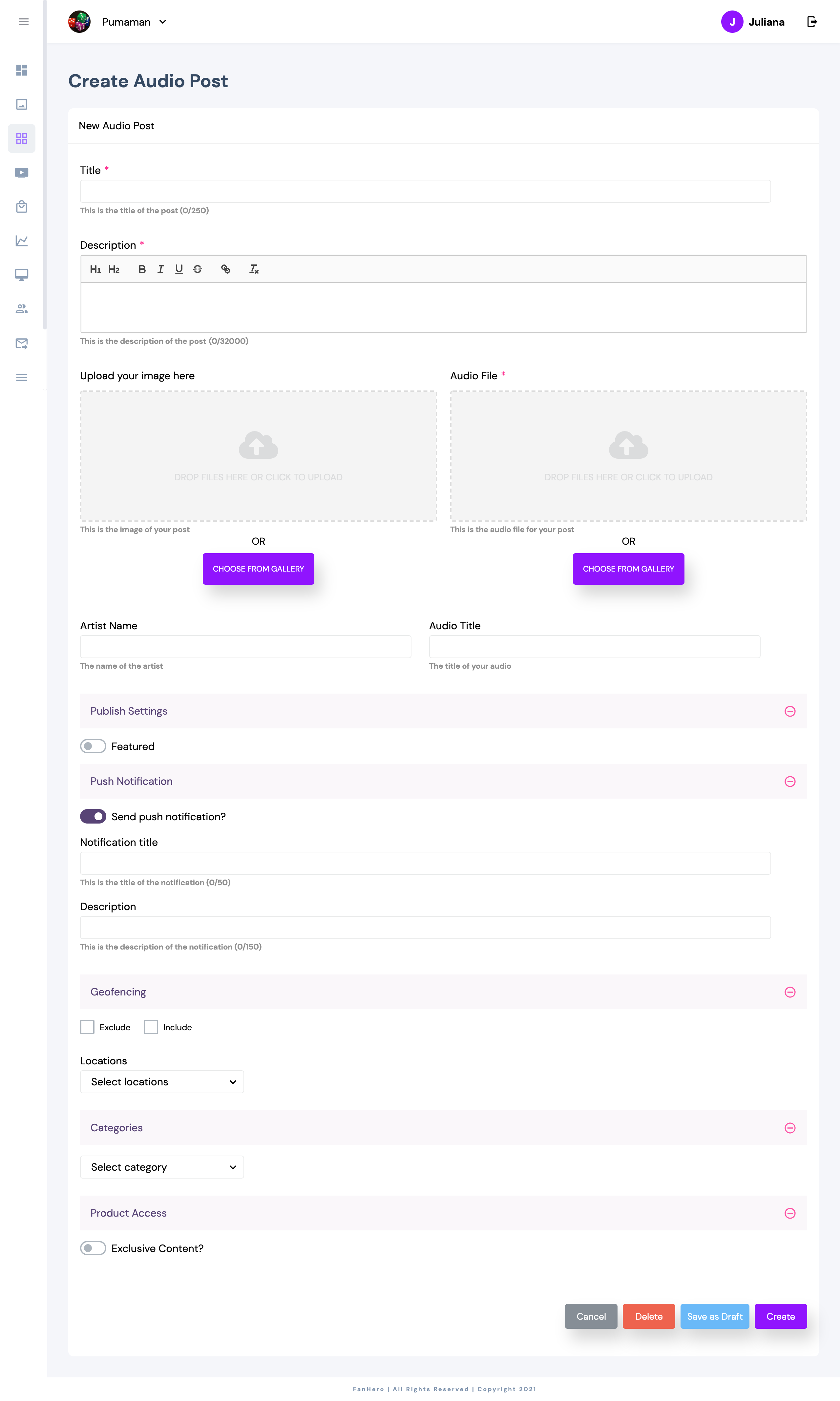
Item | Description |
|---|---|
Title | Title of post. |
Description | Description of post. |
Cover Image | Audio thumbnail. |
Audio File | Audio. |
Artist Name | Optional field, maximum of 30 characters. |
Audio Title | Optional field, maximum of 30 characters. |
Publish Settings | Optional field. |
Push Notification | Default is enabled. |
Geofencing | Ability to make your content available or not available in some countries. |
Categories | Ability to assign post to one or more categories and/or sub-categories. |
Product Access | Ability to define if the post will be public or exclusive and to assign products to the post. |
- Cancel: closes the post detail screen and goes back to the post list.
- Delete: ability to delete the post.
- Save as draft: ability to save post as draft (post will not be available to end users)
- Create/Update: ability to create or update the post.
Once an audio post is created, all fields can be edited.
Blog Post Detail Screen
This is the screen where Admin users can create or edit a blog post.
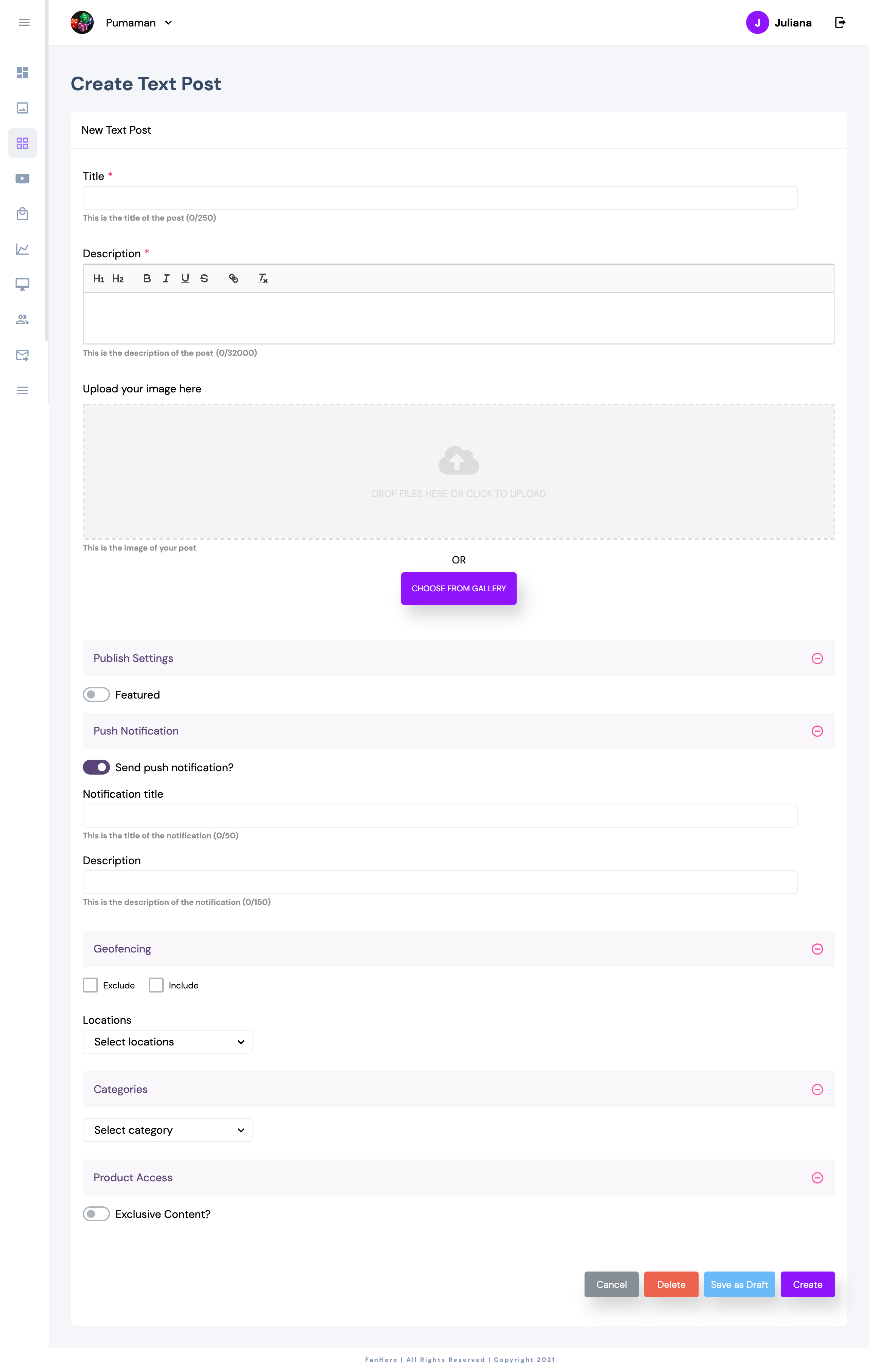
Item | Description |
|---|---|
Title | Title of post. |
Description | Description of post. |
Image | Blog Post featured image. |
Publish Settings | Optional field. |
Push Notification | Default is enabled. |
Geofencing | Ability to make your content available or not available in some countries. |
Categories | Ability to assign post to one or more categories and/or sub-categories. |
Product Access | Ability to define if the post will be public or exclusive and to assign products to the post. |
- Cancel: closes the post detail screen and goes back to the post list.
- Delete: ability to delete the post.
- Save as draft: ability to save post as draft (post will not be available to end users)
- Create/Update: ability to create or update the post.
Once a blog post is created, all fields can be edited.
Updated 10 months ago